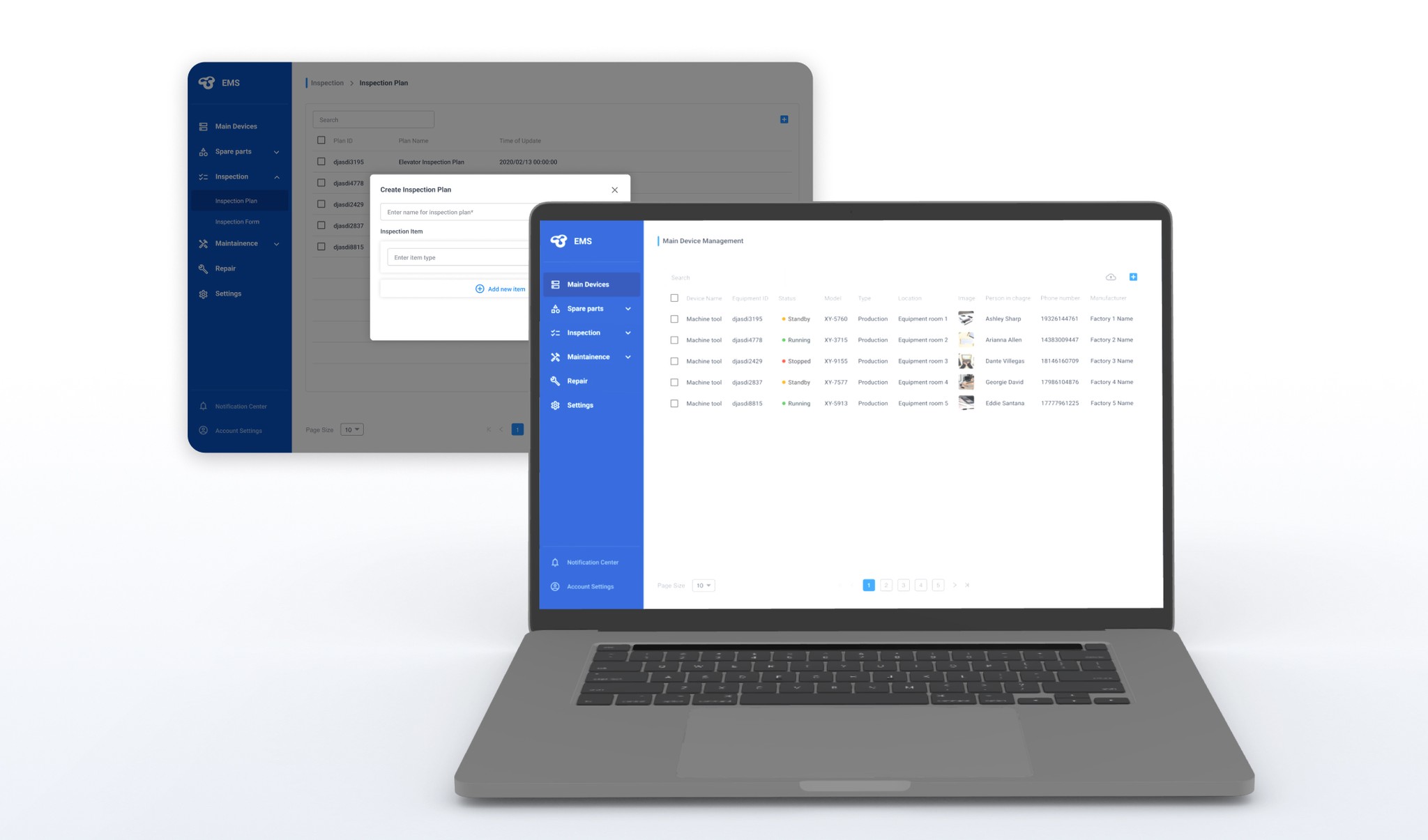
Context
Our client is a leading furniture manufacturer. They faced significant challenges in managing their extensive array of machinery and equipment. The existing system was heavily manual and fragmented. This led to frequent delays and errors.
"We need an intuitive and powerful desktop app to help our employees manage our equipment and inventory. Our goal is to improve our operational efficiency and minimize errors."
— Client Quote
Design Goals
Creating the 1st equipment management system for our client
How might we help factory workers manage equipments more efficiently?
Challenges
Based on the nature of the product, I faced the following challenges:
Balancing Functionality and Simplicity
Designing a clean interface despite the complexity of the system/user workflow
Considering Scalability
Building a system that can meet current needs while being scalable for future growth
Validating Design Decisions
Relying on assumptions or secondary information without access to end users
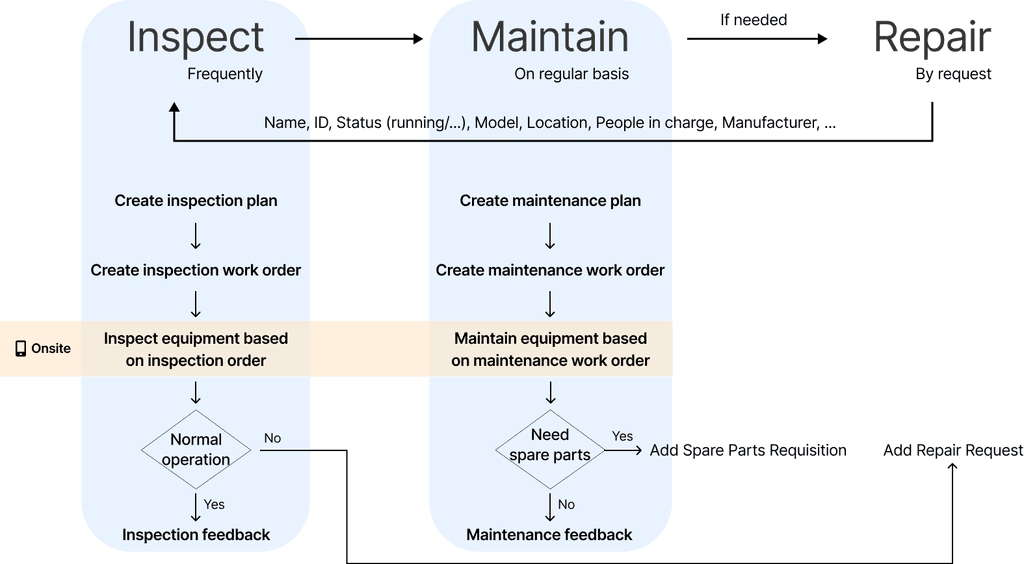
User Flow
In order to improve workers' efficiency, it was crucial to understand their workflow:
iNFORMation ARCHITECTURE
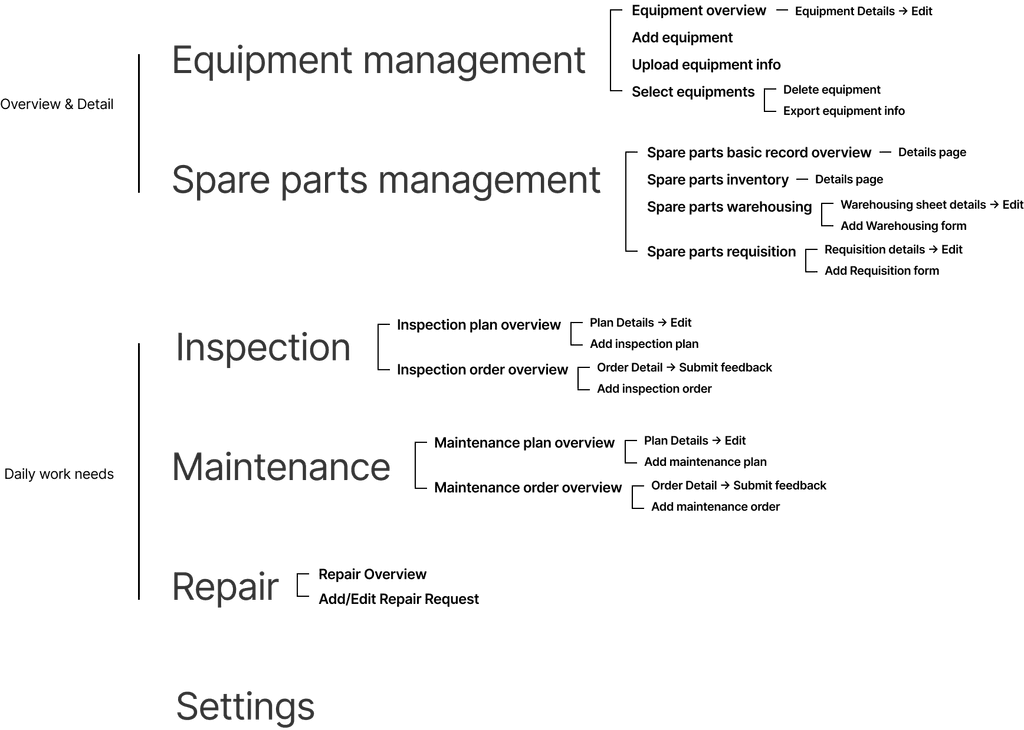
Based on the user flow, I created a simple information architecture with PM to map the structure of the platform:
Product Requirements
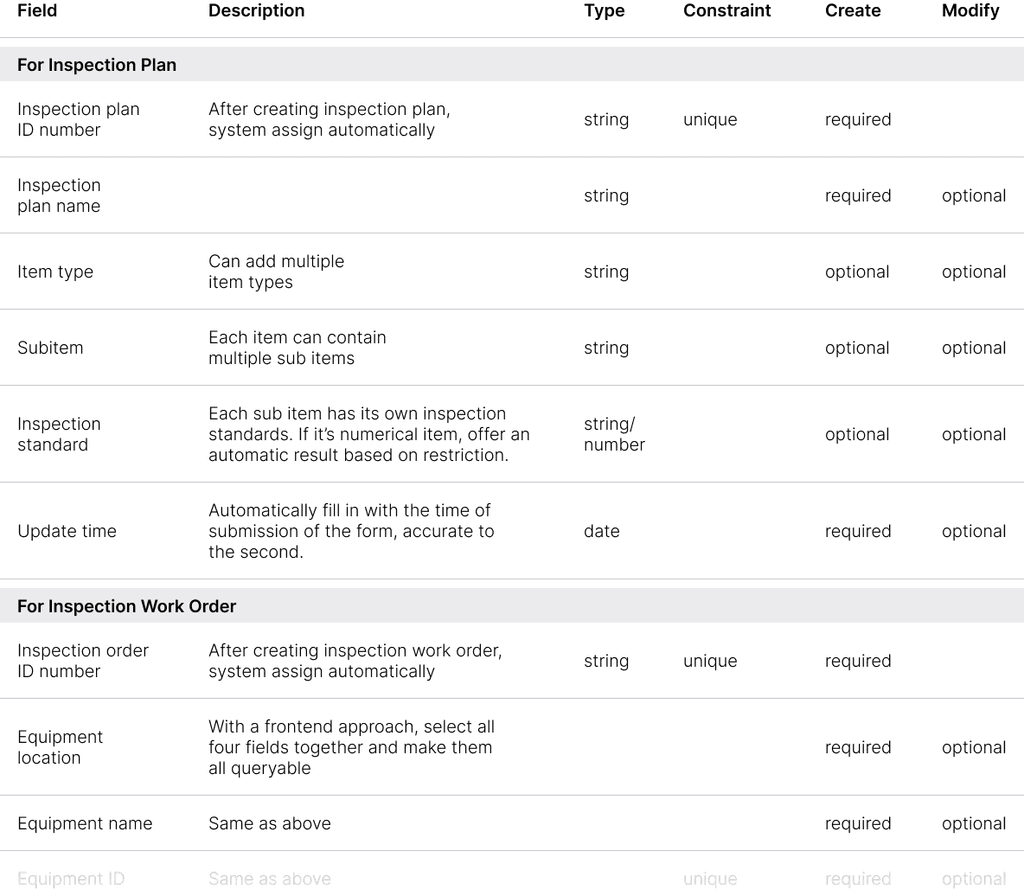
For each section of the platform, my design was based on a few initial rough wireframe samples and tables shown in the following image. These tables include information needed to display on the interface.
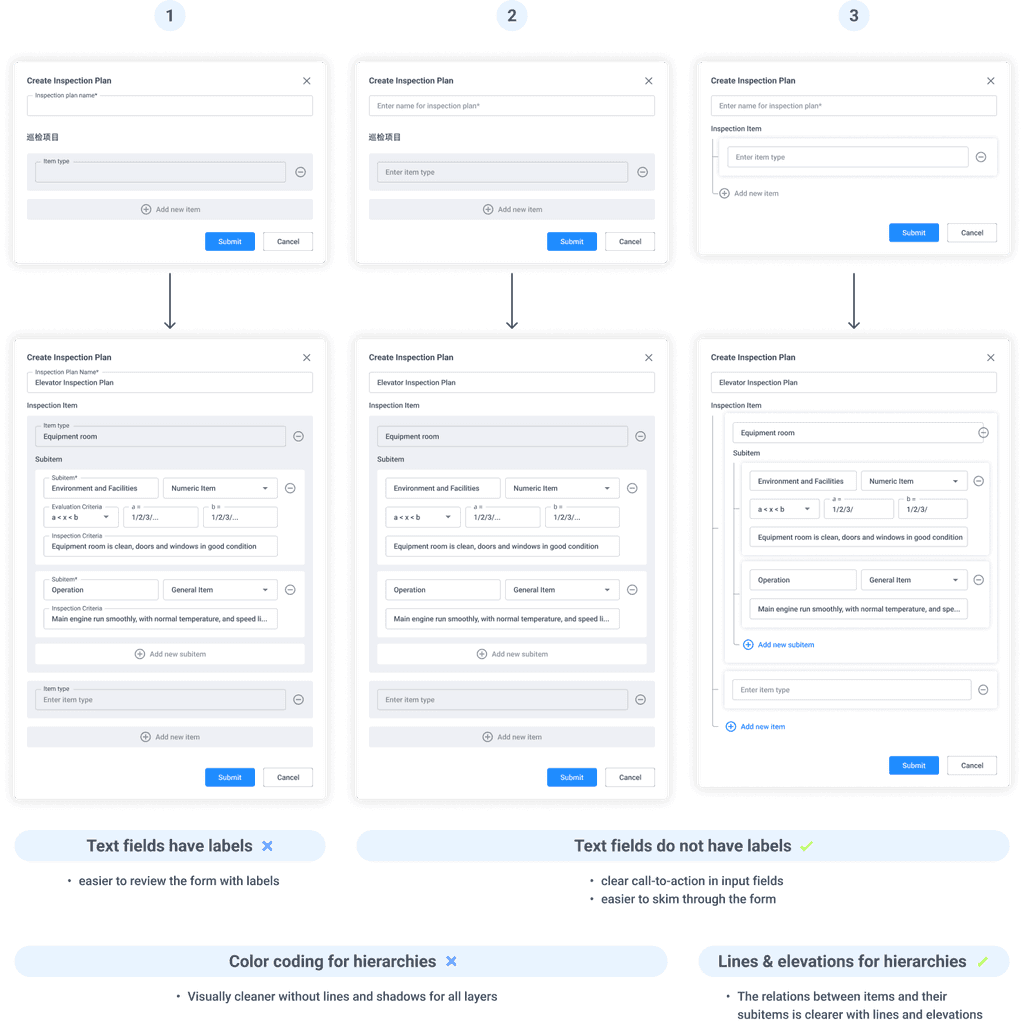
Design iterations for Forms
Create Inspection Plan form - Design rationales for its information hierarchies
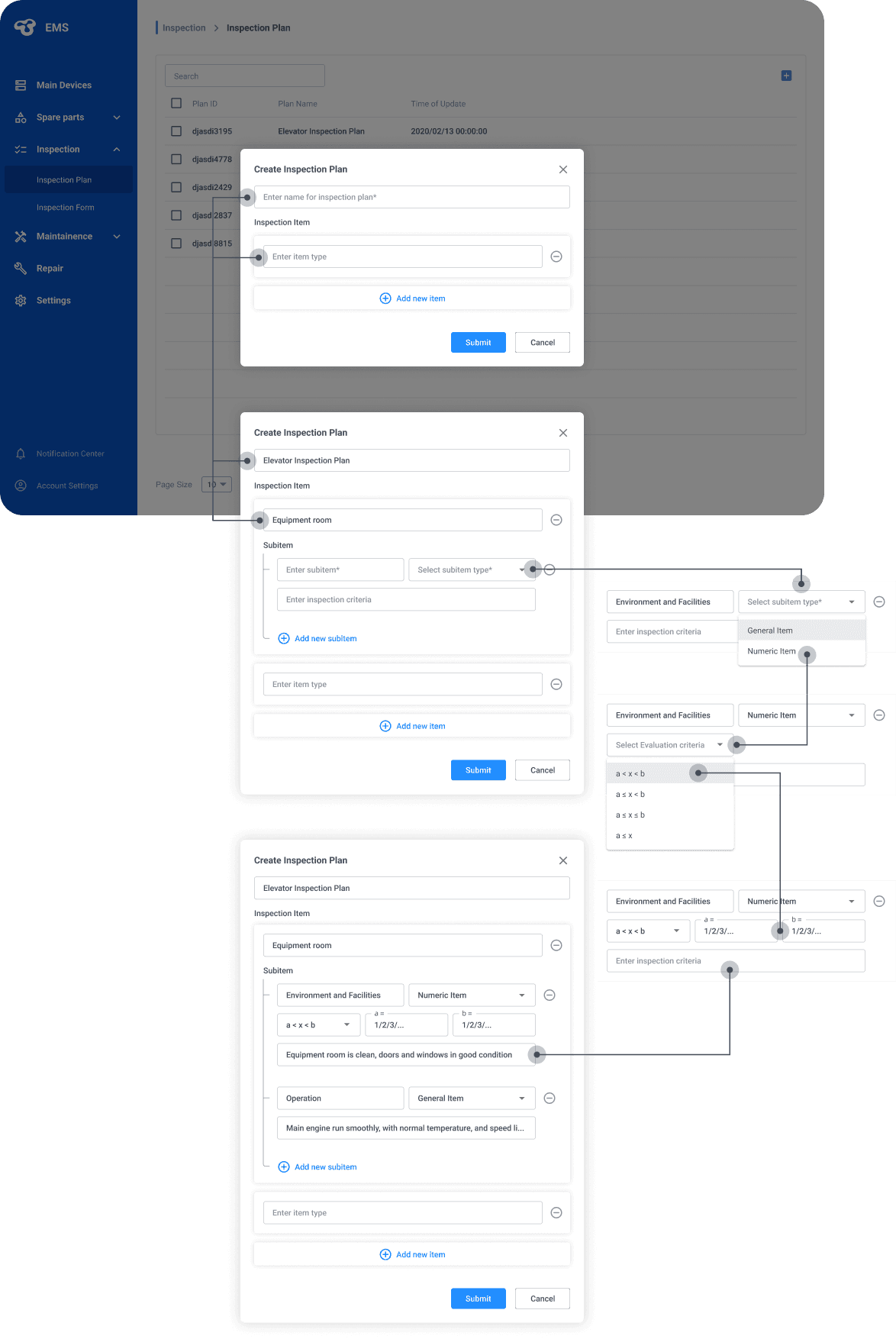
The solution: balancing simple visual with clear info hierarchies
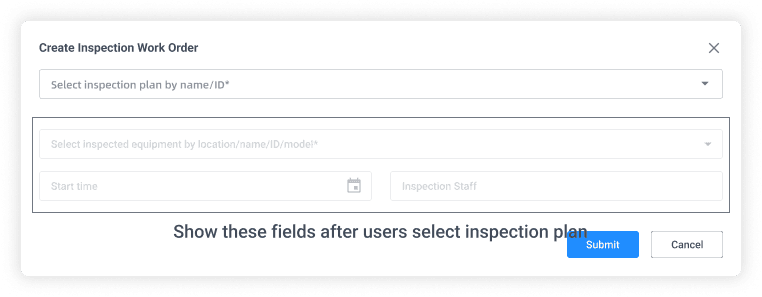
Create Inspection Work Order form - Utilize Progressive Disclosure
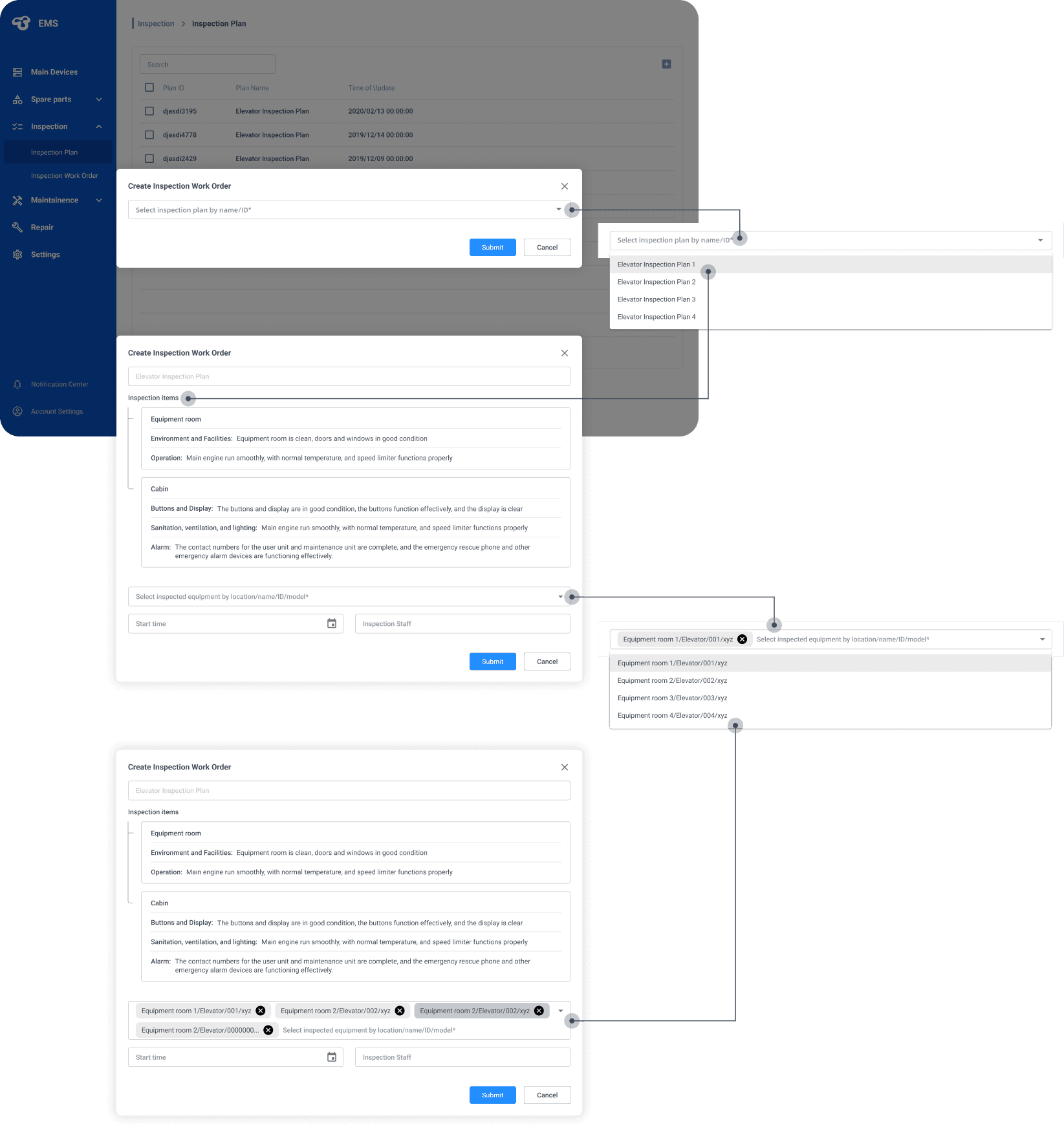
The solution: following the principles of progressive disclosure
Design System
Creating an initial design system
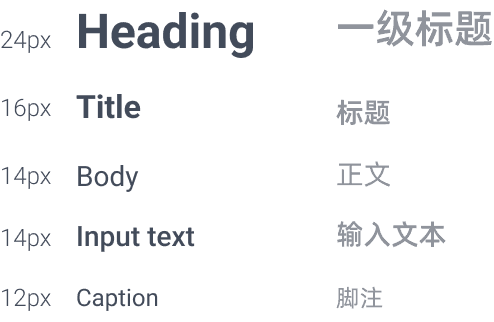
Typography
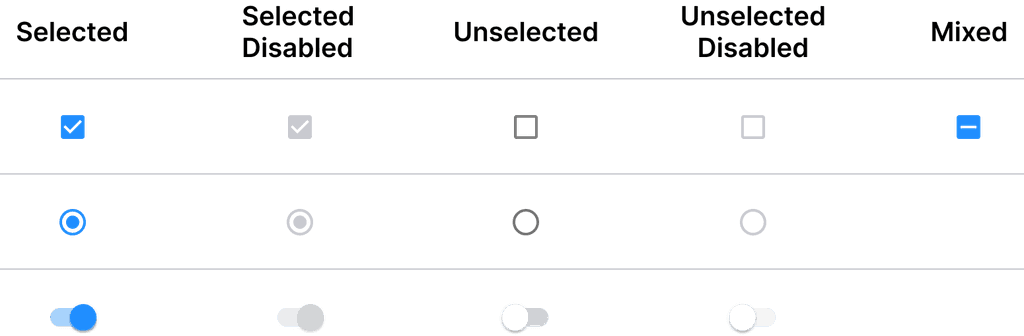
Checkbox
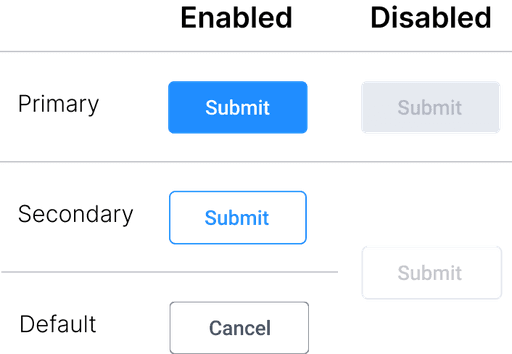
Buttons
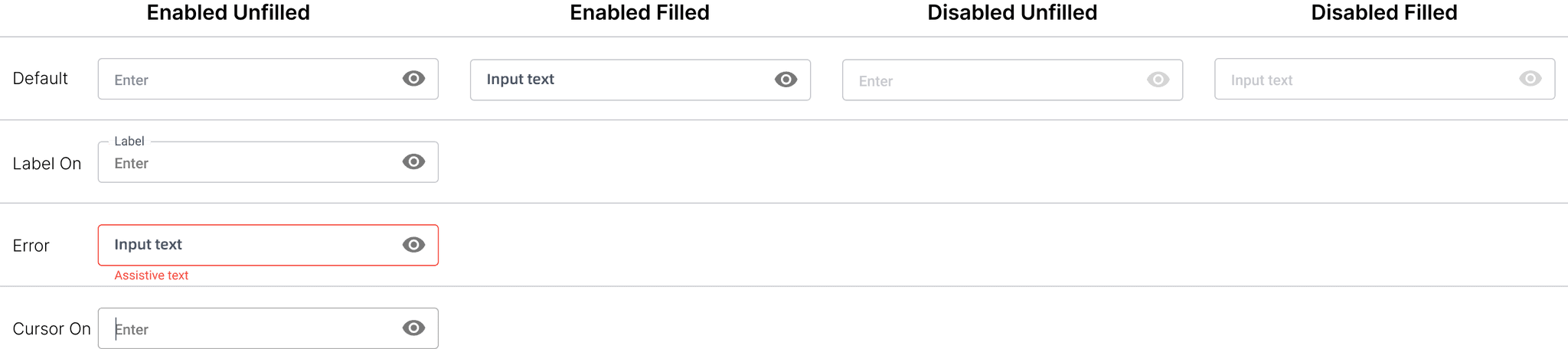
Text fields
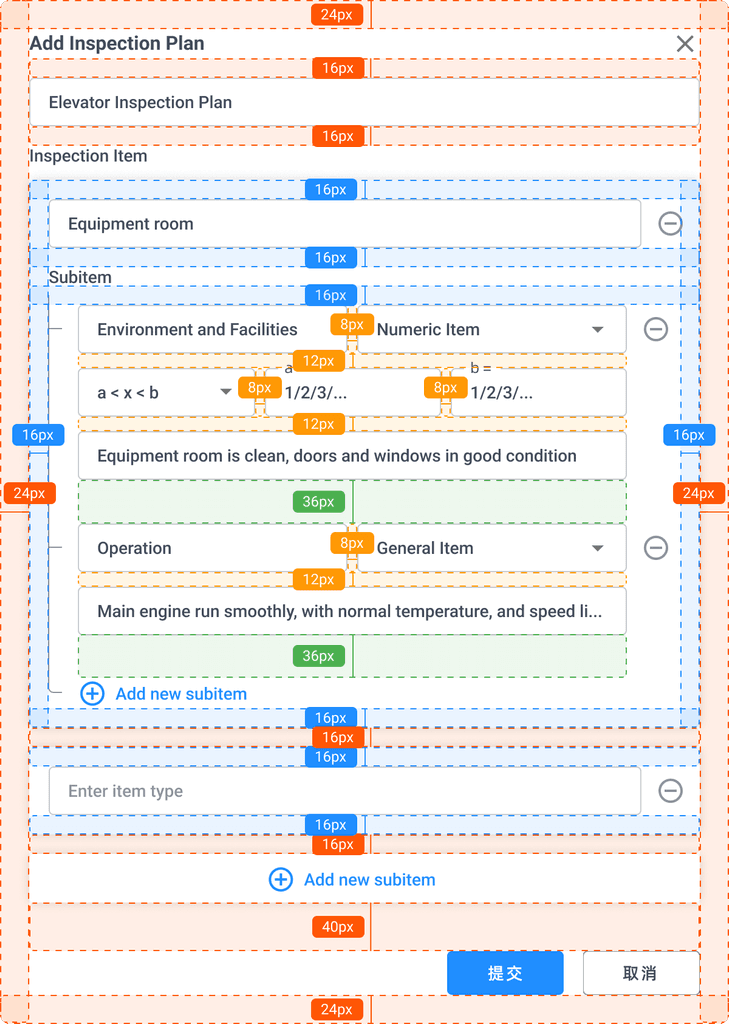
Spacing
final design
Ensuring seamless interaction through consistent design and clear navigation
Simplifying data entry with intuitive form design
Reflection
Project Takeaways:
Leveraging limited resources to understand user needs
When resources for extensive research are limited, there are many cost-effective ways to gather user insights. Engaging with internal stakeholders (including PM) and establishing a continuous feedback loop with them proved to be a way to address user needs.
Balancing complexity and usability
Designing a tool complex enough to handle various tasks while remaining user-friendly requires a delicate balance. To achieve this, we adopted an iterative design process and extensive communication. It allowed us to simplify complex workflows for end users, ensuring the tool was both powerful and easy to use.